A practical technical SEO guide to crawling, indexing, canonicals, sitemaps, structured data, performance, release QA, and measurement for teams.
Technical SEO is the work of making a website reliably discoverable, crawlable, renderable, indexable, and usable. It connects engineering choices with search behavior: status codes, redirects, robots controls, canonical URLs, internal links, sitemaps, JavaScript rendering, structured data, mobile layouts, and real-world performance all shape whether an important page can be found and understood.
A technical audit should not begin with a generic error count. Begin with the business-critical templates and define the intended state for each one. Should the URL be accessible without authentication? Should it return a 200 response, appear in internal navigation, be indexable, declare itself canonical, and be included in a sitemap? A defect is the gap between that intended state and the live result.
Google’s Search guide for developers recommends secure, fast, accessible pages that work on all devices, use crawlable links, and can be inspected as Google sees them. Treat those requirements as a foundation rather than a promise of rankings. Technical health creates access and clarity; useful content and genuine demand still determine whether the page deserves attention.
This guide explains how to diagnose the complete path from discovery to serving, prioritize issues by impact, test changes safely, and monitor results after release.

Chapter 1: Technical SEO Fundamentals
Why Technical SEO Still Matters
Technical SEO remains essential because a page cannot perform consistently if search systems cannot access, render, or interpret it. The goal is not technical perfection; it is a reliable path from discovery to an indexable canonical page that works for users.
Search engines like Google need to be able to find your pages, crawl through your content, render everything correctly, and index it properly. Without that, you’re invisible—no matter how good your site is. But even if Google can index all your content, it doesn’t mean you’re in the clear. Technical optimization goes much deeper.
What Is Technical SEO?
Technical SEO is the practice of optimizing your website’s infrastructure so that search engines can efficiently crawl and index it. It involves everything behind the scenes—elements like site speed, mobile responsiveness, structured data, URL structure, and security protocols. The goal is to ensure that your site performs well technically, so it can rank better in organic search results.
What Counts as Technical SEO?
Many people think technical SEO only involves crawling and indexing. That’s just one part of the puzzle. A strong technical SEO strategy touches on several other areas, including:
- JavaScript optimization
- Robots meta tags
- XML sitemaps
- Site architecture
- Clean URL structure
- Structured data (Schema)
- Thin and duplicate content prevention
- Hreflang for multilingual targeting
- Canonical tags
- Proper handling of 404 pages
- 301 and 302 redirects
And honestly, that list isn’t even complete. Technical SEO covers dozens of critical touchpoints that affect how search engines interact with your site.
Does Technical SEO Need to Be Perfect?
Not at all. You don’t need a flawless setup to rank. But the easier you make it for Google to access, crawl, and process your content, the more likely you are to perform well in the search results. Every barrier you remove—whether it’s a slow page load, broken link, or duplicate title—gives you a competitive edge.
What’s Next?
Now that you understand the importance and scope of technical SEO, it’s time to dig into the specifics. In the upcoming chapters, we’ll explore all the elements listed above—and more. By the end of this guide, you’ll know exactly how to audit, optimize, and maintain the technical health of your website.

Chapter 2: Site Structure and Navigation
Why Site Structure Comes First
Your site’s structure should be the very first step in any technical SEO campaign—yes, even before crawling and indexing. Why? Because many crawling and indexing problems stem from poor architecture. If your site structure is clean and logical, search engines will have a much easier time accessing and indexing your content.
More than that, your structure impacts nearly every other technical element—your URLs, sitemap, internal links, and even how you use tools like robots.txt. A well-organized structure doesn’t just help search engines—it also enhances user experience by making navigation intuitive and consistent.
In short, if your site structure is solid, everything else becomes easier to manage and optimize.
Use a Flat, Organized Site Structure
A flat site structure means that all your important pages are just a few clicks away from the homepage. This kind of architecture ensures that no matter how large your site is, search engines can reach and index all your pages efficiently.
This might not be critical for a small blog or a local business site. But for an eCommerce store with thousands—or even hundreds of thousands—of product pages, flat architecture is essential. It reduces crawl depth, minimizes orphan pages, and improves overall site discoverability.
On the flip side, disorganized site structures can lead to problems like orphan pages (which have no internal links pointing to them), duplicated paths, or unnecessarily deep page hierarchies. These issues confuse search engines and make it harder to diagnose technical problems.
If you want a quick overview of your structure, tools like a site crawler can give you a broad view. But for a more visual, interactive look, try Octopus.do. It’s a free tool that helps map your architecture in a way that’s easy to understand and optimize.
Maintain a Consistent URL Structure
Your URL structure should be clean, consistent, and logical. For smaller sites, this isn’t something to obsess over. But as your site grows, having a structured approach helps both users and search engines make sense of your content.
Consistent use of subfolders and categories provides extra context for Google. For example, if you place all SEO-related resources under a URL path like /hub/seo/, Google will recognize those pages as belonging to the same thematic group.
This kind of clarity often translates into better visibility in search results. Google may even generate rich sitelinks for your category hubs when it sees a strong URL hierarchy.
Use Breadcrumbs Navigation
Breadcrumb navigation is another underrated but powerful tool for both SEO and usability. It automatically creates internal links to parent and sibling pages, reinforcing your site’s hierarchy.
These links not only help users understand where they are on your site but also provide search engines with additional context and crawl paths. Google has even incorporated breadcrumb-style navigation into its search results, further validating its importance.
Whenever possible, implement breadcrumbs navigation. It’s simple, scalable, and offers clear benefits to both users and search engines.

Chapter 3: Crawling, Rendering, and Indexing
Make It Easy for Search Engines to Access Your Site
Crawling, rendering, and indexing are the foundation of technical SEO. If search engines can’t access your content properly, your site won’t rank, no matter how good your content is. This chapter is all about helping search engines discover, process, and include your pages in their index without friction.
To do that, you’ll need to spot crawl errors, resolve indexing issues, and make your deep pages more discoverable. Let’s walk through how to do that effectively.
Spot Indexing Issues Early
The first step is identifying which pages search engines are struggling to crawl or index. There are several ways to do this, and each tool offers unique insights.
Google Search Console’s Page Indexing Report should be your starting point. It highlights which pages are indexed, which aren’t, and why. If Google is having trouble rendering or indexing content, this report will show you the specific causes.
Once you’ve reviewed your indexing status in Search Console, running a full crawl with Screaming Frog is the next logical step. Screaming Frog mimics how a search engine crawler navigates your site, identifying issues like broken links, redirect loops, and missing metadata. It’s highly effective, especially for larger sites.
Another strong option is the Site Audit feature in a technical auditing platform. This tool gives you a top-down view of your site’s technical health, including performance metrics and HTML errors. It’s a quick way to understand how well-optimized your entire site is from a technical perspective.
For sites with 10,000 pages or more, using all three tools—Google Search Console, Screaming Frog, and a technical auditing platform—is often the best way to make sure you’re not overlooking anything critical.
Improve Discoverability of Deep Pages
Getting your homepage indexed is rarely an issue. The real challenge lies in making sure search engines find and index your deeper pages—those that are several clicks away from your homepage.
This is where a flat site structure becomes especially valuable. The fewer clicks required to reach a page, the more likely it is that search engines will crawl it. But even with a well-structured site, it’s smart to add internal links to deep pages, especially from high-authority pages that are already frequently crawled.
Internal linking gives search engines strong signals about which pages are important. It also ensures that even less-prominent content remains discoverable and indexable over time.
Submit and Maintain a Clean XML Sitemap
Despite advancements in crawling and mobile-first indexing, XML sitemaps still play a vital role. Google has confirmed that sitemaps are the second most important method it uses to discover new URLs. The first? Likely internal and external links.
To ensure your sitemap is working as intended, use the Sitemaps tool inside Google Search Console. It will show whether your sitemap was submitted correctly and how many URLs were found. If any URLs are missing or excluded, this is the place to start investigating.
A clean, well-maintained sitemap helps Google discover new pages faster, monitor indexing status, and catch changes across your site.
Use the Inspect Tool to Troubleshoot Individual URLs
When a specific page isn’t getting indexed, the URL Inspection Tool in Google Search Console is your best friend. It provides details on why a page may be excluded—whether it’s blocked by robots.txt, set to noindex, or something else entirely.
If a page is indexed, the Inspect tool also lets you see how Google renders it. This is especially helpful for pages with dynamic content or JavaScript-heavy layouts. You’ll be able to confirm whether Google sees the full page or just partial content.
Ultimately, your goal is to ensure that Google can crawl and understand 100% of every important page—and these tools give you everything you need to make that happen.
Chapter 4: Thin and Duplicate Content
Why You Should Care About Thin and Duplicate Content
If every page on your site has original, high-quality content, you’re already ahead of the curve. But even the most carefully managed sites can run into issues with thin or duplicate content, especially if your CMS creates multiple versions of the same page across different URLs.
Thin content might not be a widespread issue on your site, but even a handful of low-value pages can dilute your overall SEO performance. Duplicate content, on the other hand, can confuse search engines about which version of a page to rank. That’s why fixing both issues is a proactive step worth taking.
Use SEO Tools to Identify Duplicate Content
One of the easiest ways to detect thin or duplicate content is through a site audit. Tools like Raven Tools Site Auditor do an excellent job of identifying duplicate or low-quality pages that may need improvement. The tool scans your site and flags pages that contain similar or insufficient content.
a site crawler tool is another valuable resource. Its “Content Quality” section highlights duplicate content issues across multiple pages, allowing you to pinpoint patterns and take action. These tools are especially helpful for identifying internal duplication—pages that repeat content within your site.
However, duplicate content doesn’t just come from your pages. It can also appear when content is copied (intentionally or unintentionally) from other websites. To check for external duplication, use Copyscape’s Batch Search. This lets you upload a list of URLs and see where else that content appears online.
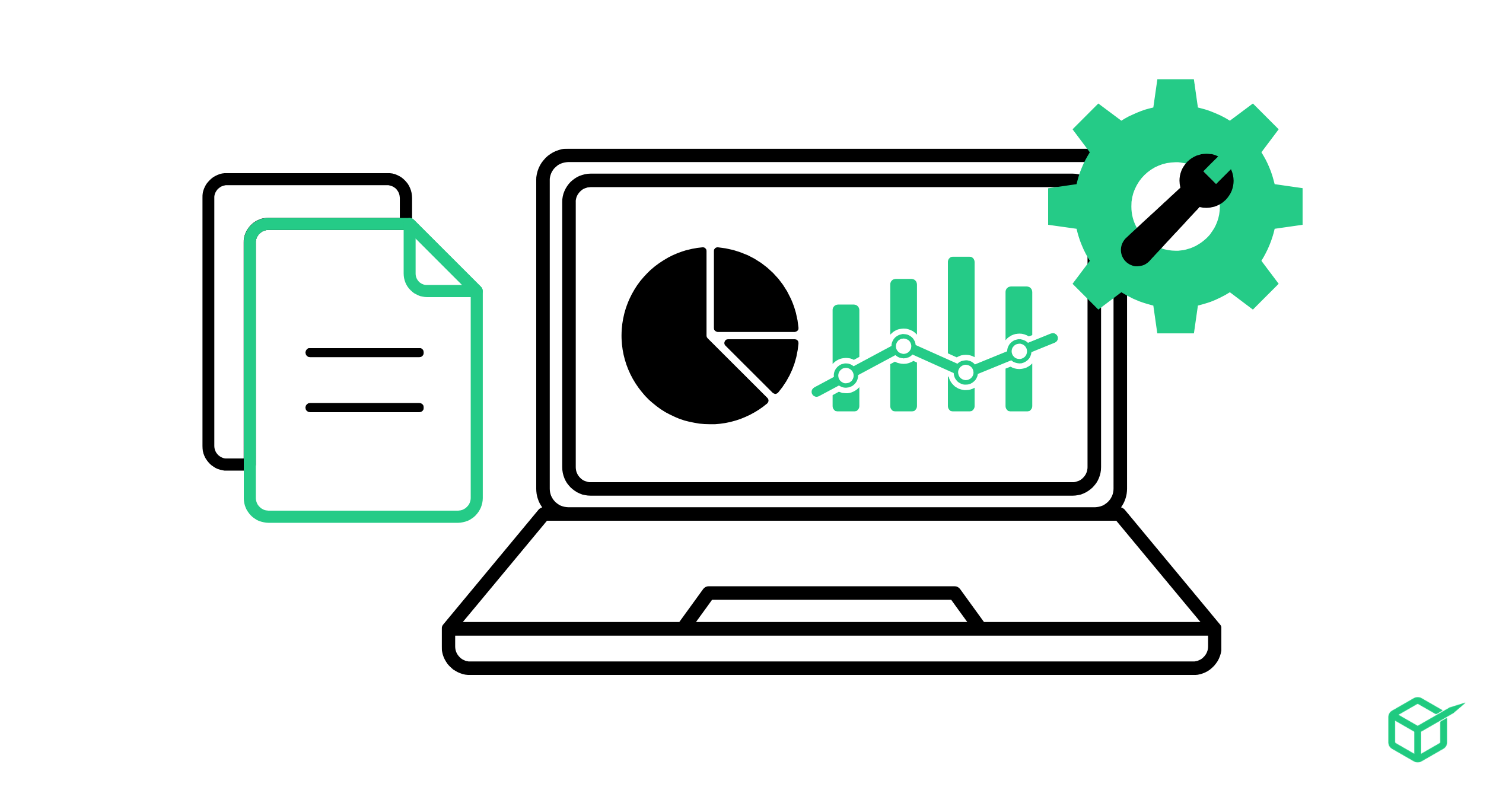
If you find identical or similar snippets, search for them in quotes on Google. If your page appears first in the results, Google likely sees you as the source. In that case, you’re fine—even if someone else copied your work.
Keep in mind: if others steal your content, that’s their SEO problem, not yours. Your only concern is whether the content on your site is copied from somewhere else or spread too thin across multiple pages.
Add Noindex Tags to Duplicate or Low-Value Pages
It’s completely normal for some pages on your site to have duplicate content. The problem only arises when those pages get indexed. If there’s no reason for those pages to appear in search results, use a noindex tag to prevent indexing.
Adding a noindex tag signals to search engines that a specific page should be excluded from the index. This is especially useful for thin content pages, filtered search results, paginated comments, or dynamically generated URLs.
You can verify whether the noindex tag is working by using Google Search Console’s URL Inspection Tool. Just enter the URL, click “Test Live URL,” and check the result. If the page is still indexed, you’ll see “URL is available to Google.” But if the tag is working correctly, you’ll see “Excluded by ‘noindex’ tag.”
It might take some time for Google to drop noindexed pages from the index, depending on your site’s crawl budget. Check the “Excluded” tab in the Coverage Report to monitor whether those pages are being properly removed.
A common example is comment or filter pagination that creates many URLs with nearly identical primary content. If those URLs have no independent search value, keep them crawlable long enough for search engines to see a noindex directive, then verify the result in Google Search Console. Do not block the URLs in robots.txt before Google can read the directive.
Use robots.txt to manage crawler access, not as a substitute for noindex. A disallowed URL can still appear in search results, and a crawler cannot read a page-level noindex rule when robots.txt prevents the fetch.
Use Canonical URLs for Similar Content Variations
If you have pages that are mostly similar—say, product pages with slight variations in size or color—you don’t always need to use noindex. In these cases, canonical tags are a better solution.
A canonical tag tells search engines that a specific version of a page is the “primary” one. This is especially useful in e-commerce, where different product attributes generate separate URLs. Instead of letting search engines index every variation, you can point them to a single canonical URL and consolidate ranking signals.
For example, if you sell cowboy hats and each size or color variation generates a different URL, your canonical tag should point to the main product page. That way, Google knows which version to index and rank, and your SEO authority stays focused on one URL, not scattered across dozens of near-duplicates.
Chapter 5: PageSpeed
Why PageSpeed Matters for SEO
Page speed is one of the few technical SEO elements that can directly influence rankings. It won’t shoot you to the top alone—you still need backlinks and authority—but a faster site can seriously impact your organic performance.
Here are three practical ways to improve your load times.
Start with field data and page weight
Begin with the Core Web Vitals report in Google Search Console and field data from PageSpeed Insights. The three Core Web Vitals are Largest Contentful Paint (LCP), Interaction to Next Paint (INP), and Cumulative Layout Shift (CLS). Lab tests help with diagnosis, but field data shows how real visitors experience the page across devices and network conditions.
Page weight is a practical place to investigate. Oversized images, unused JavaScript, heavy font files, and third-party widgets can delay rendering and interaction. Compress images in modern formats, serve correctly sized responsive variants, lazy-load offscreen media, remove unused code, and set explicit image dimensions to reduce layout shifts.
Test a CDN as part of the complete delivery path
A content delivery network can shorten the distance between users and cached assets, but configuration still matters. Test representative pages before and after a CDN change, check cache headers, watch for duplicate transformations, and confirm that HTML and personalized responses are not cached incorrectly. Use WebPageTest or PageSpeed Insights to compare repeatable test runs.
Control third-party scripts
Analytics, chat, advertising, heatmaps, and tag-manager containers can consume main-thread time and delay interaction. Inventory every third-party request, document its business owner, and remove tools that no longer justify their performance cost. Load nonessential scripts after consent or user interaction where appropriate, and monitor INP after marketing tags change.
Optimize for users, not a perfect score
Core Web Vitals are used by Google’s ranking systems, but a perfect score does not guarantee top rankings. Prioritize changes that improve both user experience and business outcomes: faster product discovery, fewer checkout delays, more stable forms, and responsive navigation. Recheck field data after deployment because improvements may take time to appear in rolling datasets.
Chapter 6: Technical Controls That Need Ongoing Maintenance
International targeting and hreflang
Use hreflang only when equivalent pages serve different languages or regional audiences. Each version should reference itself and the other alternates, and the URLs should be canonical and indexable. Validate return links and language-region codes after template or domain changes. Hreflang does not translate a page and does not replace localization.
Internal links and orphan pages
Every important page should be reachable through a standard HTML link from another discoverable page. Google’s crawlable link guidance explains that an anchor element with an href is the dependable pattern. Audit broken links, links to redirects, and orphan pages by template. Use descriptive anchor text that helps a visitor understand the destination rather than repeating the same keyword everywhere.
Structured data
Structured data can make eligible content available for supported search features, but it does not guarantee a rich result or a higher position. Select a type that matches the page, follow the feature-specific documentation, keep markup consistent with visible content, and test representative URLs after releases. Remove markup for content that is no longer shown.
Sitemaps and canonical consistency
A sitemap is a discovery and canonicalization signal, not an indexing command. Include absolute canonical URLs that return successful responses and are intended for search. Google’s sitemap documentation says a file is limited to 50,000 URLs or 50 MB uncompressed; larger sets need multiple files and, optionally, a sitemap index. Use accurate lastmod values only for meaningful changes.
Indexing controls
Do not apply noindex to categories, tags, filters, or other templates simply because they look duplicative. Decide whether each template offers a distinct navigation or landing-page function. If it should not appear in search, make the choice explicit and verify that crawlers can access the noindex directive. Google notes that a robots.txt block can prevent a crawler from seeing a robots meta rule.
Mobile experience and field performance
Test navigation, content parity, forms, tap targets, responsive media, and structured data on representative mobile pages. Use lab tools to reproduce problems and field data to understand real visits. Google’s Core Web Vitals guidance describes LCP for loading, INP for responsiveness, and CLS for visual stability. Improve the experience, not just the score.
Bonus Chapter: A Practical Technical SEO Rollout
Technical SEO is most effective when it is managed as a repeatable operating process, not a one-time repair project. Use the following rollout to turn audit findings into measurable improvements without creating new crawl or indexing problems.
1. Establish a trustworthy baseline
Export indexed and non-indexed URL data from Google Search Console, crawl the public site, and record templates, status codes, canonicals, robots directives, structured data, crawl depth, and Core Web Vitals. Separate real defects from intentional exclusions. A checkout confirmation page marked noindex is not the same as a revenue-driving category page that disappeared from the index.
2. Prioritize by business impact
Fix problems affecting high-value landing pages first: accidental noindex directives, blocked resources, broken internal links, incorrect canonicals, server errors, redirect chains, and slow templates. Group issues by template so one engineering change can improve hundreds of URLs. Keep a small sample of representative URLs for regression testing.
3. Define the expected search behavior
For every affected template, document whether URLs should be crawlable, indexable, canonical, included in the XML sitemap, and linked from navigation or hub pages. This prevents teams from solving one problem while causing another—for example, blocking a URL in robots.txt before Google can process its noindex directive.
4. Test changes before a full release
Validate a staging sample when possible, but remember that authentication and robots rules can make staging behave differently from production. Check rendered HTML, response headers, JavaScript output, structured data, mobile layout, and redirect behavior. After deployment, inspect a small set of live URLs before rolling the change across the entire site.
5. Monitor leading and lagging indicators
Leading indicators include successful crawls, corrected status codes, valid canonicals, improved crawl depth, and better field performance. Lagging indicators include index coverage, impressions, clicks, qualified organic sessions, and conversions. Rankings alone can hide whether a technical fix improved discoverability, user experience, or revenue.
6. Maintain an SEO change log
Record deployments that affect URLs, navigation, rendering, metadata, robots rules, canonicals, structured data, and performance. Include the release date, owner, affected templates, validation URLs, and rollback plan. A clear change log makes it much easier to connect an indexing shift to the release that caused it.
Technical SEO checklist
- Important pages return the intended 200 status and render meaningful HTML.
- Robots.txt allows required pages and resources to be crawled.
- Indexable pages do not carry accidental
noindexdirectives. - Canonical tags point to the preferred, indexable version of each page.
- XML sitemaps contain only canonical URLs that should appear in search.
- Internal links expose every important page through a logical site structure.
- Redirects resolve in one hop and preserve the most relevant destination.
- Structured data matches visible content and passes feature-specific validation.
- Core Web Vitals are monitored with field data after major releases.
- Search Console and server logs are reviewed for new crawl or indexing patterns.
When these controls become part of release QA and routine maintenance, technical SEO stops being emergency cleanup and becomes a reliable foundation for content, product, and growth work.